Car Mode
Car mode is a large, glanceable full-screen layout for driving. Everything is sized to read at a glance and key with a single tap, so you can stay on a talkgroup without taking your eyes off the road.
Android only. Car mode is an Android feature — there’s no desktop equivalent. It lives under Settings → Car mode.
The driving screen
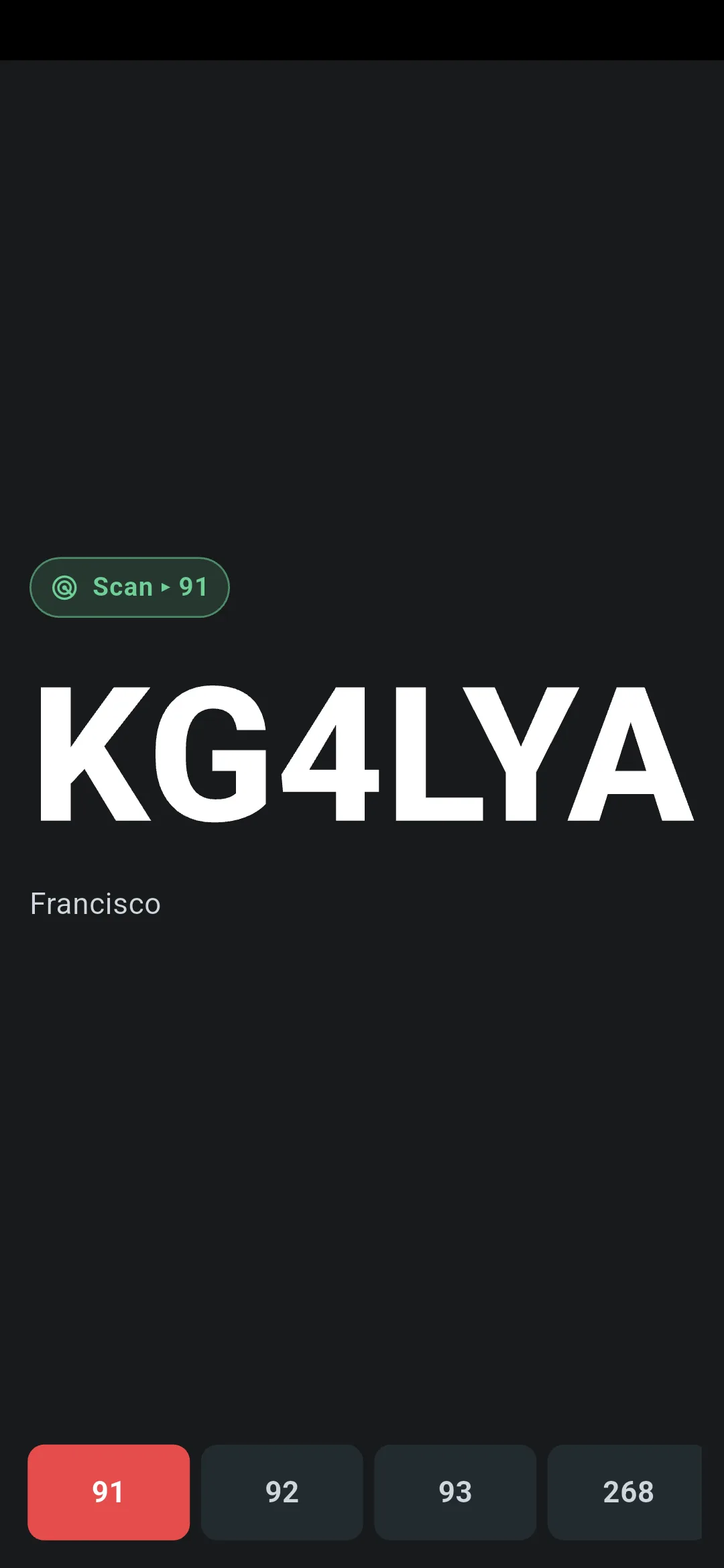
Car mode replaces the normal PTT screen with a single big readout:
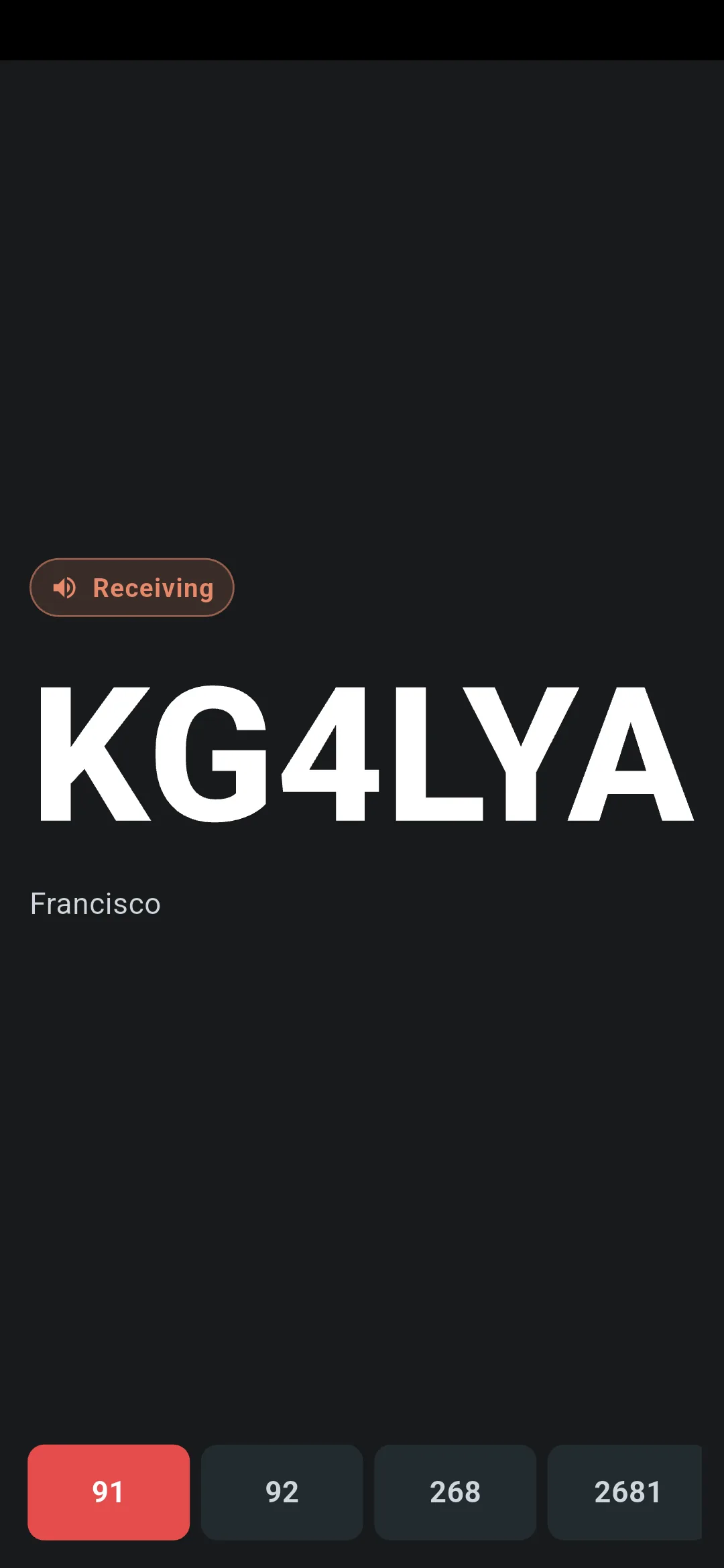
- A large callsign of whoever is talking, filling the width of the screen.
- A bare talkgroup number for the group you’re on — just the number, big, no chrome.
- Colour-coded state. The screen has three states that read at a glance:
- Idle — a dimmed grey
Listening…, with the last-heard callsign and a coarse “how long ago” label. - Receiving — a warm accent
Receivingchip with the incoming callsign lit up. - Transmitting — a red
ON AIRpill with your TX timer.
- Idle — a dimmed grey
The layout keeps every element in a fixed slot, so the big callsign never jumps around as the state changes.
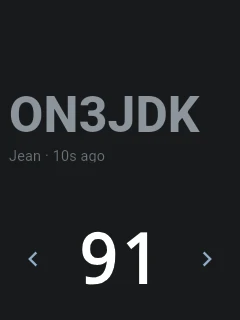
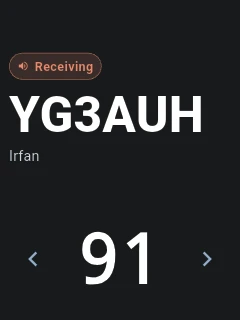
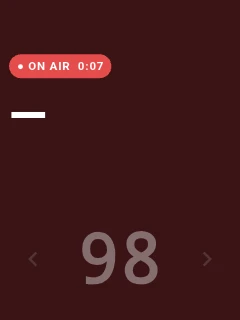
On larger (non-compact) screens a favourites rail lets you switch talkgroups with a tap (or the D-pad) — down the side in landscape, along the bottom in portrait. On compact screens (keypad/PoC radios) there’s no rail; you cycle talkgroups with the ◄ ► arrows instead. If scan is armed, a colour-coded scan badge shows its state — tap it to exit scan. See Talkgroups for how scan works.
Entering and leaving car mode
There are several ways in, all opt-in:
- Launch button — turn this on to add a Car mode shortcut to the PTT screen (and the nav drawer). Off by default.
- Toggle key — bind a hardware key; pressing it opens car mode, pressing it again closes it. Handy for a steering-wheel or headset button. Unbound by default.
- Open when charging — auto-enter when the phone starts charging, e.g. when you drop it into a car dock. Off by default.
- Open on Bluetooth — auto-enter when a chosen paired device connects, and leave when it disconnects. Pick the trigger devices in the same setting. Needs Bluetooth permission. Off by default.
- Open on start — always enter car mode when the app launches. Off by default.
To leave, use the system Back gesture/button, or whichever trigger you came in on (press the toggle key again, or disconnect the Bluetooth device).
Touch to PTT
With Touch to PTT on (the default), the whole screen is the PTT button — tap or press-and-hold anywhere to key up, following your usual PTT mode (push-to-talk or toggle). It’s the easiest way to transmit without hunting for a small button while driving.
Turn it off if you’d rather key up only with a bound hardware button — a physical PTT key on a rugged phone, or a headset — so a stray touch can’t transmit. Your bound hardware PTT key works in car mode either way.
Keeping the screen on
Two optional display settings help while the phone is mounted:
- Keep screen awake keeps the display on while car mode is open, so it won’t dim mid-QSO. It layers on top of the app-wide keep-screen-on setting and reverts when you leave car mode. Off by default.
- Full brightness forces the screen to maximum brightness in car mode for daylight readability. Off by default.
Stale callsigns
When car mode is idle it keeps showing the last callsign it heard, with a coarse “ago” label (e.g. 12s ago). If you’ve since switched to a different talkgroup, that stale callsign is tagged with the group it was actually heard on — e.g. 12s ago @ 91 — so an old identity isn’t mistaken for current activity on the talkgroup you’re now watching. While you’re still on the same talkgroup, nothing extra is shown.
Settings → Car mode
All car-mode settings live under Settings → Car mode (Launch, auto-enter, Bluetooth):
| Setting | What it does | Default |
|---|---|---|
| Launch button | Adds a car-mode shortcut to the PTT screen | Off |
| Touch to PTT | Tap the screen to transmit | On |
| Toggle key | Hardware key that enters / exits car mode | Unbound |
| Full brightness | Forces the screen to maximum brightness | Off |
| Keep screen awake | Keeps the display on while car mode is open | Off |
| Open when charging | Auto-enters when the phone starts charging | Off |
| Open on start | Enters car mode whenever the app launches | Off |
| Open on Bluetooth | Auto-enters when a chosen paired device connects | Off |
| Trigger devices | The Bluetooth device(s) that trigger car mode | None |
Next steps
- PTT Modes. Push-to-talk vs. toggle, hardware keys, and hiding the on-screen button.
- Talkgroups. Favourites, private calls, and scan.
- Troubleshooting. When PTT or hardware keys misbehave.